Table of Contents
Why There Is No Single "Best" Crypto Wallet
Every wallet comparison starts by ranking products from best to worst. That approach fails in crypto because the wallet that works for a DeFi power user on Solana is useless to someone holding $50,000 in Bitcoin who touches it once a year. Security architecture, chain support, transaction frequency, and technical comfort determine which wallet fits your profile.
The blockchain is transparent. Wallet selection is not. Most crypto losses trace back to one of three failure modes: private keys stored on an internet-connected device, seed phrases entered into phishing sites, or hardware wallets left unopened in a drawer while users transact through browser extensions. The wallet itself is often not the problem. The mismatch between wallet type and user behavior is.
This guide segments wallets by use case and deployment environment: hardware wallets for long-term storage, mobile wallets for multi-chain access, desktop and browser extension wallets for DeFi activity. Each category has different trade-offs. Each user profile has different requirements. The goal is to match them correctly.
Hardware Wallets: Offline Key Storage With Physical Confirmation
Hardware wallets generate and store private keys on dedicated devices that never connect directly to the internet. Every transaction requires physical confirmation on the device itself. Malware on your laptop cannot sign transactions. Phishing sites cannot access your seed phrase. Remote attack vectors are eliminated by network isolation.
The trade-off is speed. Every action requires the physical wallet to be present. Transaction approval is slower. Setup takes longer. Upfront cost replaces recurring software risk. For holdings above $5,000 or any amount you plan to hold for more than six months, the trade-off is worth it.
Ledger Flex remains the top pick for hardware wallets in 2026. It combines a CC EAL6+ certified Secure Element chip with native multi-asset support, a polished user interface, and Ledger Live integration that includes built-in DeFi features like swaps and staking. The Flex costs $249. The Ledger Nano S Plus offers similar security architecture at $79 for users who do not need the touchscreen. Ledger supports staking for a broader range of cryptocurrencies than most competitors, allowing you to earn rewards on more assets without moving funds off the hardware device.
Ledger experienced a marketing database breach in 2020 that exposed customer contact data. Private keys were not affected. The breach targeted the e-commerce backend, not the hardware or firmware. Users received phishing emails. No funds were lost directly through the hardware.
Trezor Safe 5 costs $169 and offers fully open-source firmware, a 1.54-inch touchscreen with haptic feedback, and support for over 1,000 cryptocurrencies. Trezor is the best choice for users who value open-source values and transparency. The firmware can be independently audited. The Trezor Safe 3 at $79 is comparable in price to Ledger's entry model and includes Shamir Backup support, which splits your recovery seed into multiple shares for added redundancy.
Researchers have demonstrated laboratory-based attacks against Trezor hardware under controlled conditions, requiring physical access to the device and specialized equipment. The attacks are not remote. They are not scalable. They do not affect users who store devices securely.
The Trezor Safe 7, launched in late 2025, is the first mainstream hardware wallet featuring quantum-ready security. For most users in 2026, quantum resistance is not yet a practical concern. For holdings intended to remain untouched for a decade or more, it is a forward-looking feature worth considering.
Hardware wallets do not interact with smart contracts. They sign transactions. They do not browse decentralized applications. They do not connect to potentially dangerous protocols. This creates an impenetrable barrier against remote attacks, but it also means hardware wallets alone cannot serve as your primary interface for DeFi activity. Detailed hardware wallet reviews cover setup, firmware updates, and recovery procedures.
Mobile Wallets: Multi-Chain Access For Active Users
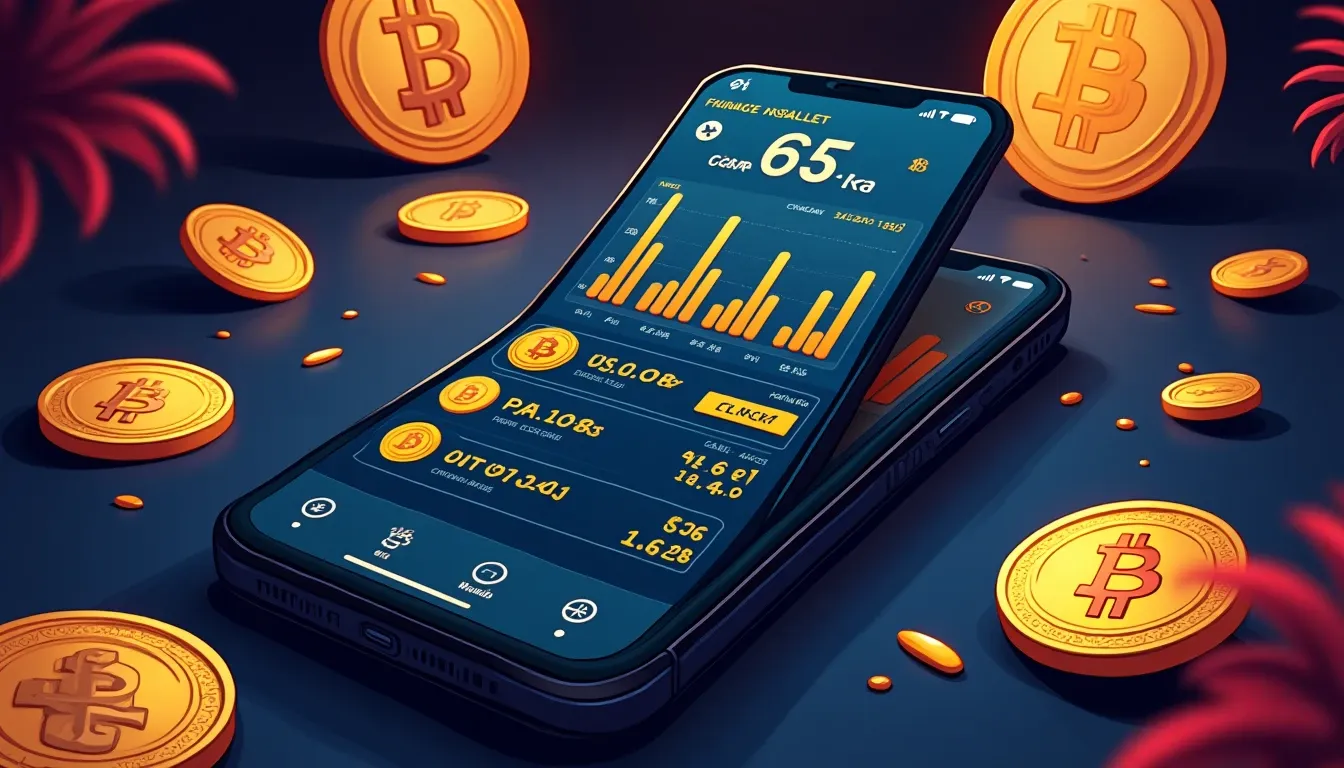
Mobile wallets generate your seed phrase in an online environment and store private keys digitally on internet-connected devices. They function primarily as gateways to blockchain applications and services. They are faster than hardware wallets. They are more convenient. They are also more exposed to phishing, malware, and fraudulent apps.
Trust Wallet supports 100+ blockchains natively, charges $0 on staking, buying, and receiving, and provides a complete trading suite. It is the most downloaded self-custody wallet globally with 220 million users. The mobile app is the strongest fit for routine multi-chain use. The browser extension introduces additional exposure through browser extension stores and release channels. Trust Wallet's code transparency is limited: the consumer app you install cannot be independently reviewed at the code level.
Trust Wallet's SWIFT feature replaces the traditional seed phrase with a passkey and cloud-linked recovery model. This lowers the barrier to entry for new users but introduces dependency on cloud infrastructure. Large holdings should use a hardware-backed vault, not Trust Wallet alone.
MetaMask is one of the few wallets that combine native support for Ethereum, Solana, Bitcoin, and TRON with in-app swaps, perpetual futures, prediction markets, tokenized real-world assets, hardware wallet pairing, and a self-custodial debit card for spending, all in a single app. MetaMask charges a 0.875% fee on swaps in addition to applicable network costs. MetaMask Mobile supports Keystone, Ledger, and NGRAVE ZERO for hardware pairing. This is the most straightforward way to strengthen security while maintaining mobile access.
Phantom started as the go-to wallet for Solana and has since expanded to eight networks, adding Bitcoin, Ethereum, and a handful of others. It offers clean NFT tools, built-in advanced trading, and a Phantom Cash feature that lets you spend crypto with a virtual debit card. Phantom charges 0.85% per swap. Some users have reported issues with Phantom not accurately displaying token values during periods of high volatility. Phantom's Ethereum and Polygon features are limited compared to its Solana features. If your primary activity is on Solana, Phantom is the best mobile wallet. If you need deep multi-chain support, Trust Wallet or OKX Wallet are better fits.
OKX Wallet supports one of the largest number of crypto chains among wallets while boasting arguably the most complete set of features. It offers four different trading boards based on experience level and strategy, lets you pay gas fees in stablecoins, and combines several decentralized finance tools in a single interface. OKX Wallet offers no mobile hardware pairing. For users who want hardware-backed mobile access, MetaMask or Coinbase Wallet are better options.
Argent on Starknet offers email and phone signup, daily transfer limits, and guardian-based social recovery, all enforced at the contract level. Argent X, the browser extension and earlier mobile wallet, operates on Ethereum L1 and L2s using ERC-4337. Argent is designed for users who want account abstraction and social recovery features. It is not designed for users who want to control their own seed phrase directly.
Exodus Wallet is best for users who want one wallet across desktop, mobile, and browser, with local key encryption, built-in swaps, staking, Solana NFT support, and Trezor integration. Exodus has a swap fee of 0.5%. Exodus supports Trezor only for hardware pairing, not Ledger. If you own a Ledger, Exodus is not the right pairing option.
Fraudulent apps mimicking legitimate wallets appear periodically on both the Apple App Store and Google Play Store. Always verify the developer name before installation. Always download from official links published on the wallet's website. Mobile wallets face threat vectors that differ from desktop wallets: compromised operating systems, malicious apps with clipboard access, SMS-based phishing attacks.
Desktop and Browser Extension Wallets: DeFi Gateways With Faster Interaction
Desktop and browser extension wallets prioritize speed and Web3 connectivity over offline isolation. They are designed for users who interact with decentralized applications frequently, swap tokens regularly, and need faster transaction approval than a hardware device provides. They are not designed for long-term storage of significant holdings.
MetaMask dominates Web3 connectivity. It is the default wallet integration for most DeFi protocols on Ethereum and EVM-compatible chains. MetaMask supports Ledger and other hardware wallets as signers, which means you can use MetaMask as your interface while keeping private keys on a hardware device. This is the recommended configuration for anyone using MetaMask with more than $1,000 in active DeFi positions.
Rabby stands out for EVM DeFi. It is optimized for multi-chain DeFi users who switch between Ethereum, Arbitrum, Optimism, Polygon, and other EVM networks frequently. Rabby automatically detects the correct chain for each transaction, reducing the risk of sending assets to the wrong network. It is less widely integrated than MetaMask, but for experienced DeFi users, it is a cleaner interface.
Trust Wallet offers a browser extension in addition to its mobile app. The extension introduces additional exposure through browser, extension store, and release-channel vectors. For routine multi-chain use, the mobile app is safer. For DeFi activity that requires frequent transaction signing, the extension is faster.
Coinbase Wallet supports Ledger only for mobile hardware pairing. It has variable fees based on DEX spread. Coinbase Wallet is tightly integrated with Coinbase exchange, which makes on-ramping and off-ramping faster for users who already hold accounts there. It is less useful for users who prioritize decentralization or who do not want their wallet provider to have any knowledge of their transaction history.
Pairing a mobile wallet with a hardware device is one of the most straightforward ways to strengthen security. MetaMask Mobile supports Keystone, Ledger, and NGRAVE ZERO. Coinbase Wallet, Rainbow, and Phantom support Ledger only. Exodus supports Trezor only. Kraken Wallet, Trust Wallet, OKX Wallet, Crypto.com DeFi Wallet, and ZenGo offer no mobile hardware pairing. Portfolio tracking across wallets becomes critical once you deploy multiple wallet types.
Transaction Costs: Fees Beyond Network Gas
Most self-custodial wallets do not charge simply for holding crypto, but transactions can involve network gas, swap or service fees, bridge costs, spreads, and slippage. Users should compare the total cost of completing a transaction, not just advertised wallet fees.
Trust Wallet charges $0 on swaps. MetaMask charges 0.875%. Phantom charges 0.85%. Exodus charges 0.5%. SafePal charges 0.2%. Base charges up to 1%. These fees are in addition to network gas and DEX slippage. For users who swap tokens frequently, the difference between 0% and 0.875% compounds quickly.
Hardware wallets do not charge transaction fees. Ledger Live includes built-in swaps and staking with fees comparable to third-party services. Trezor does not offer built-in swaps; users must connect Trezor to a third-party interface like MetaMask or Rabby, which introduces the fee structure of that interface.
Wallet availability and feature sets vary by region due to local regulations. Some wallets restrict certain features based on IP address or KYC status. Some wallets are unavailable in specific jurisdictions. Always verify regional availability before selecting a wallet.
Edge Cases and Wallets to Avoid
Atomic Wallet experienced a 2023 security breach that resulted in substantial user losses. The wallet's code is fully closed. No external audit covers the core app. There is no hardware wallet support. Atomic Wallet should not be used for any meaningful holdings.
Ledger's software for managing the wallet, Ledger Live, is open-source. The firmware on the devices is closed-source. If you prioritize full transparency at every layer, Ledger may not be the right choice. Trezor's firmware is fully open-source and can be independently audited. This is the primary philosophical difference between the two leading hardware wallet providers.
How To Choose: Match Wallet Type To Use Case
For long-term storage above $5,000: use a hardware wallet. Ledger Flex or Ledger Nano S Plus for ease of use and staking support. Trezor Safe 5 or Trezor Safe 3 for open-source transparency.
For routine multi-chain activity and mobile access: Trust Wallet for breadth of chain support and zero swap fees. MetaMask for Ethereum and EVM networks with hardware pairing. Phantom for Solana-focused users.
For frequent DeFi interaction and Web3 connectivity: MetaMask paired with a Ledger or Trezor as signer. Rabby for users who prioritize multi-chain DeFi workflows.
For users who want social recovery and account abstraction: Argent on Starknet.
For users who want cross-platform consistency: Exodus, with Trezor integration for hardware-backed security.
Many users will end up with several wallets: an exchange account for on-ramping, a mobile hot wallet for routine transactions, and a hardware cold wallet for long-term holdings. This is not redundancy. This is segmentation. Each wallet serves a different function. Each wallet carries different risk. The goal is to match wallet type to transaction type, so that high-value holdings remain on hardware devices while active-use funds remain accessible.
The Takeaway
Wallet selection determines the baseline security of every transaction you execute. The blockchain is transparent. Your wallet should be too. Hardware wallets isolate keys offline at the cost of speed. Mobile wallets provide multi-chain access at the cost of exposure. Desktop and browser wallets enable DeFi activity at the cost of always-online key storage. There is no universal winner. There is only correct segmentation: hardware for holdings, mobile for routine access, desktop for DeFi, and pairings between them where possible. The wallet you choose today affects every trade, swap, stake, and transfer you execute for the next year. Choose based on your actual behavior, not theoretical risk tolerance.
Frequently Asked Questions
What is the safest type of crypto wallet in 2026?
Hardware wallets built around a CC EAL6+ certified Secure Element chip, such as Ledger and Trezor devices, are the safest option. They generate and store private keys offline, require physical confirmation for every transaction, and eliminate remote attack vectors. For holdings above $5,000 or any amount you plan to hold long-term, hardware wallets provide the highest security level available.
Can I use one wallet for all my crypto activities?
Most users need multiple wallets. Hardware wallets are best for long-term storage but too slow for active DeFi use. Mobile wallets provide multi-chain access but should not hold large amounts. Desktop and browser extension wallets enable fast DeFi interaction but store keys online. The correct approach is segmentation: hardware for holdings, mobile for routine transactions, desktop for DeFi, with hardware pairing where supported.
What fees do crypto wallets charge?
Most self-custodial wallets charge no fee for holding crypto. Transaction costs include network gas plus wallet-specific swap fees. Trust Wallet charges 0%, MetaMask charges 0.875%, Phantom charges 0.85%, Exodus charges 0.5%. Hardware wallets do not charge transaction fees, though Ledger Live includes built-in services with fees comparable to third-party platforms. Always calculate total transaction cost, including gas, spreads, and slippage.
Which crypto wallet supports the most blockchains?
Trust Wallet supports 100+ blockchains natively, the broadest coverage among major wallets in 2026. OKX Wallet also supports a large number of chains with comprehensive DeFi features. MetaMask supports Ethereum, Solana, Bitcoin, and TRON. Phantom supports eight networks focused on Solana. For users who need access to multiple chains regularly, Trust Wallet or OKX Wallet provide the most complete coverage.
Should I choose Ledger or Trezor for a hardware wallet?
Ledger Flex and Ledger Nano S Plus offer CC EAL6+ Secure Element protection, broader staking support, and polished Ledger Live integration. Trezor Safe 5 and Trezor Safe 3 offer fully open-source firmware that can be independently audited, Shamir Backup support, and lower entry prices. Choose Ledger for ease of use and built-in staking. Choose Trezor for open-source transparency and community verification. Both provide excellent security for long-term holdings.
Ledger devices display the full transaction on their own screen before you approve it, which is what stops an approval exploit at the point it matters.
See Ledger devicesWe may earn a commission if you sign up through this link, at no cost to you. It does not change what gets recommended.
You have just compared hardware, mobile, desktop, and browser wallets across security architecture, fees, and chain support. Those wallets will release new versions within six months.
Every Thursday: where crypto yield actually is - stablecoins, liquid staking and DeFi lending, with the risk named next to the rate and what changed since last week.
Get it free every ThursdayFree. No trade calls, no allocations, no hype. Unsubscribe in one click.